
Help
Frequently asked questions about using the website
How do I register on the site?
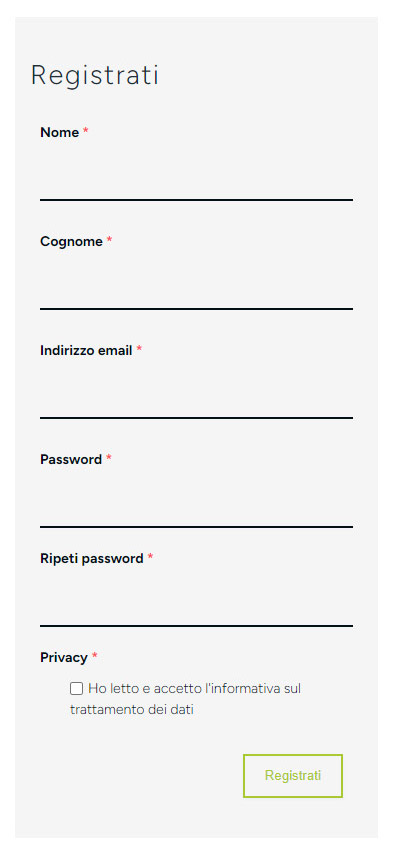
- Click the SIGN UP button on the home page or CLICK HERE.
- Enter your information.
- To complete registration, click the link you receive by email.
- Also check your SPAM folder and click the link before it expires!
Example:

How do I register for courses?
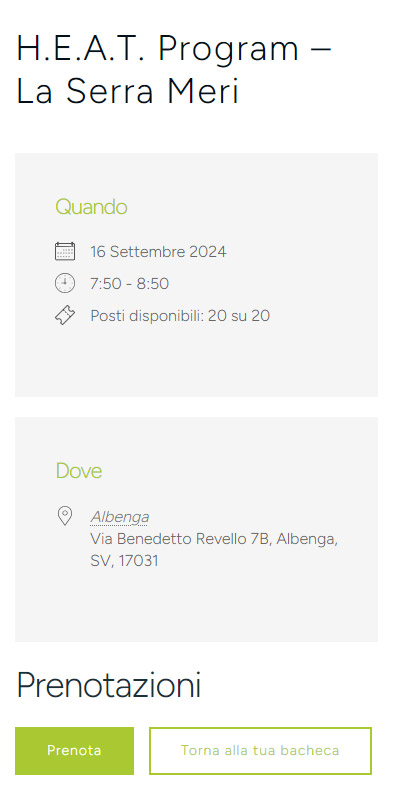
- Log in to the website
- Go to the center’s page or CLICK HERE
- Click on the course you’re interested in Click PRENOTA
Courses can be booked 72 hours before the start of the course.
Example:

How can I cancel a reservation?

- Log in to the website
- Go to your dashboard or CLICK HERE
- Click the My Reservations button
- Click AZIONI and then Annulla
Example:

How do I change my data?
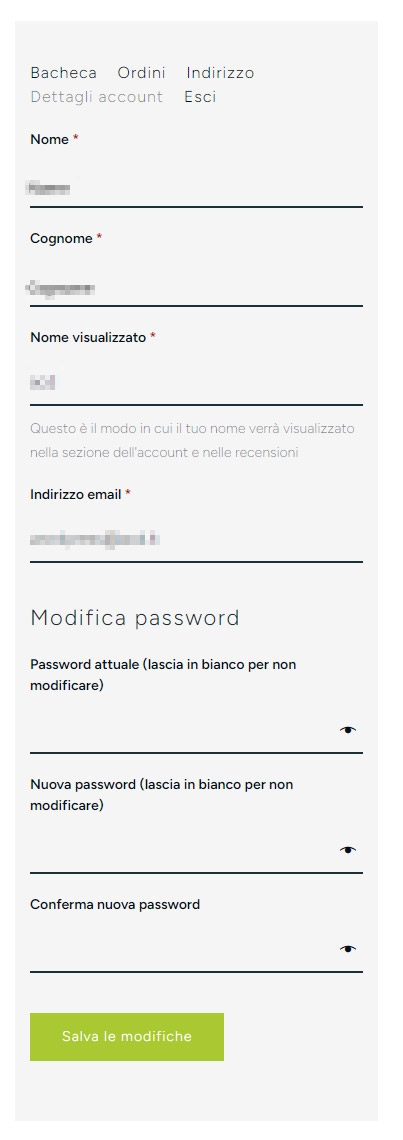
- Log in to the site
- Go to your dashboard or CLICK HERE
- Click on Account Details
- Edit your details and confirm by clicking Save Changes
Example:

I forgot my password
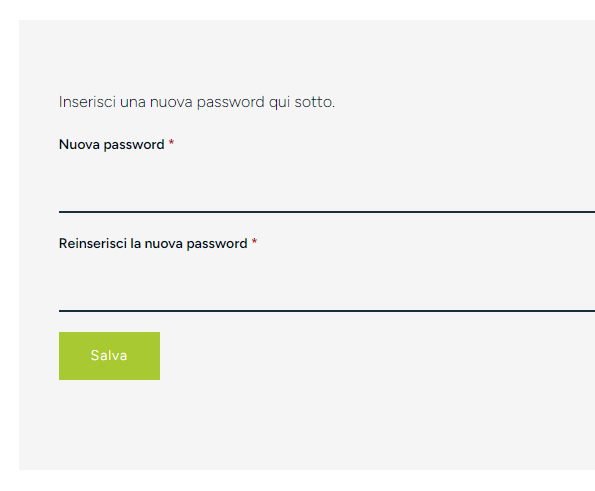
- Click Forgot your password? or CLICK HERE
- Enter your username or email address
- You will receive a link to generate a new password via email
- Click the link provided in the email
- Enter a new password
- Confirm by clicking Save
Example:
